Pay Electricity, Water and Internet Bills in Chiang Mai
With no Thai bank account, pay PEA electricity with a barcode at a Counter Service counter. Or pay by Visa or Mastercard credit card in the PEA Smart Plus app for 5 baht per item until 31 December 2026. Water goes through the PWA Plus Life+ app, which registers with an email address.
On this page
Chiang Mai tenants pay three bills to three companies. PEA distributes electricity in 74 provinces, excluding Bangkok, Nonthaburi and Samut Prakan. Chiang Mai is outside those three, so PEA bills it.
PWA has a Chiang Mai branch at 330 Chiang Mai-Lampang Road. Internet comes from your provider. Each bill has its own channels.
With no Thai bank account, you have two routes for the electricity bill. Take the paper bill, or the barcode made in PEA Smart Plus, to a Counter Service counter and pay cash. Or pay by Visa or Mastercard credit card in the app, on the Counter Service channel, for 5 baht per item until 31 December 2026. With a Thai bank app, pay inside the app.
Electricity (PEA): the channels
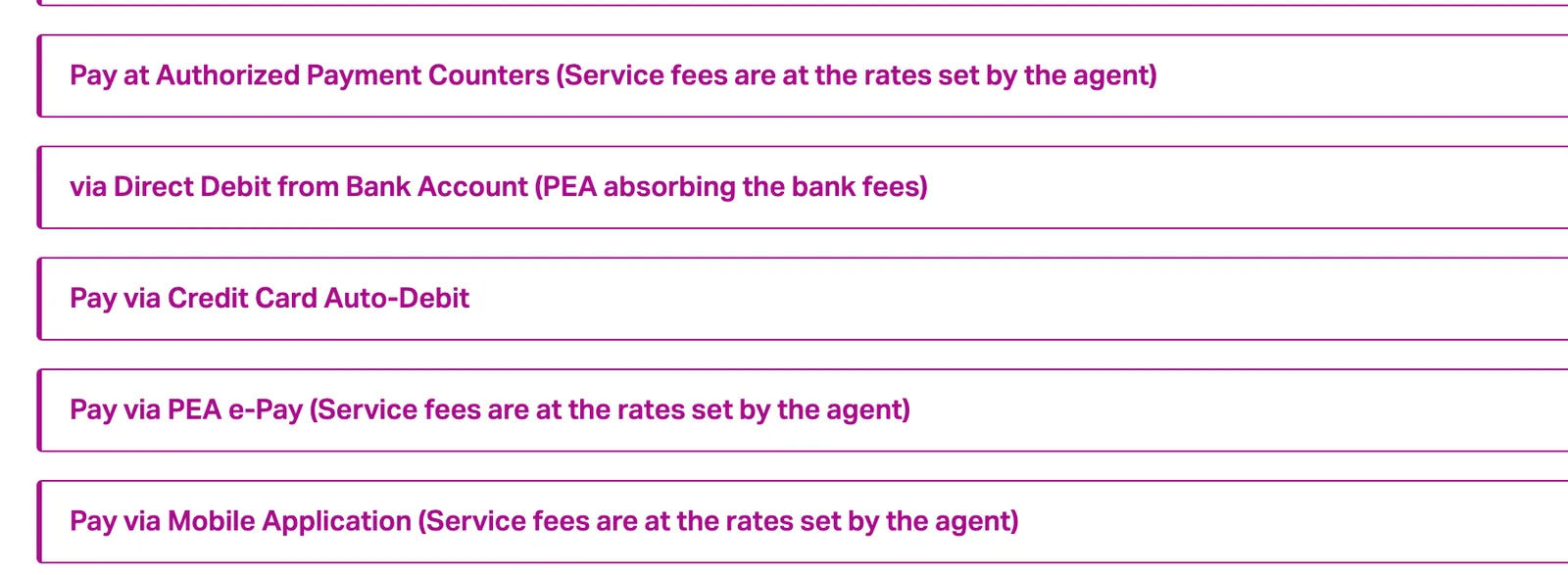
These are the ways to pay.
- The PEA Smart Plus app and the PEA Thailand LINE account, with fees at the rates set by the service provider.
- PEA front offices.
- Authorised payment counters, with fees at the rates set by the agent.
- Mobile applications of banks and wallets, with fees at the rates set by the agent.
- Direct debit from a bank account, where PEA absorbs the bank fees.
- Credit card auto-debit, only for customers who have registered for it.
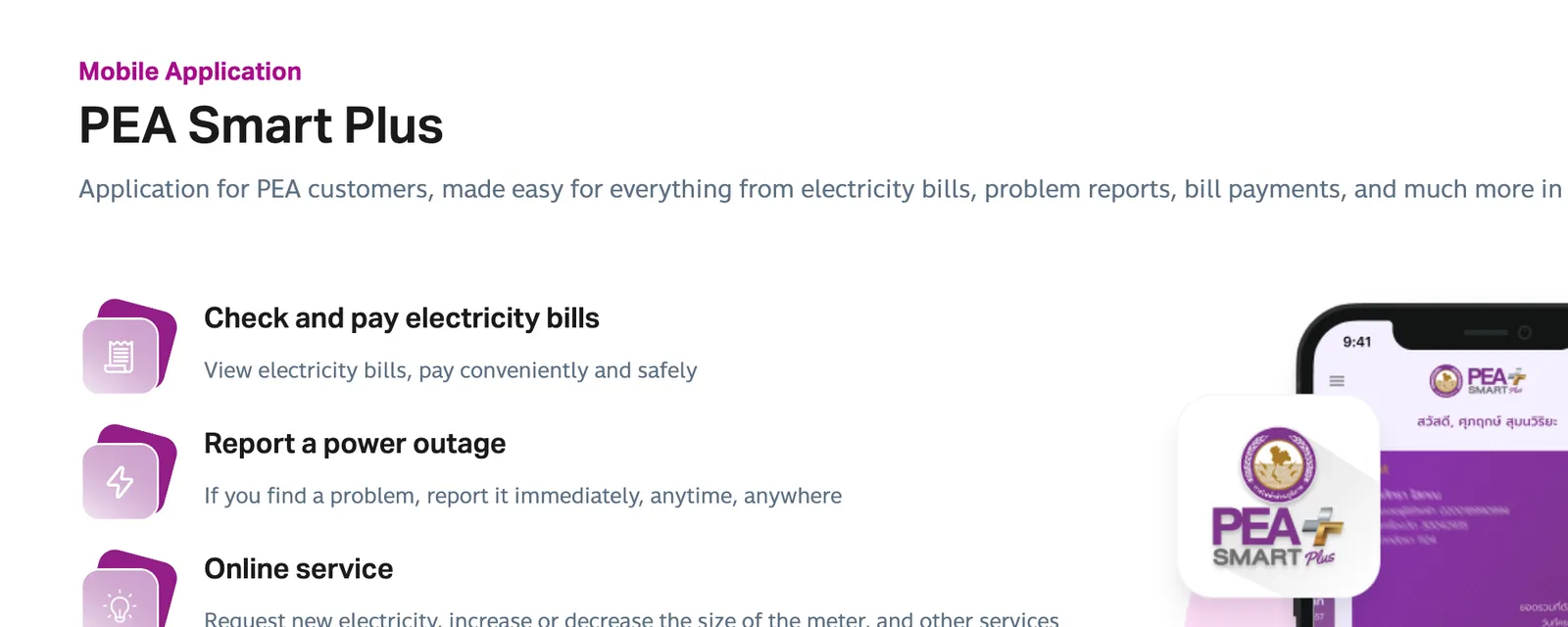
Smart Plus is an application for electricity bills, problem reports and bill payments in one place. In the app you view electricity bills and pay. It creates a QR code and a barcode you can pay at a payment point. It pays by credit card or bank account and can text you 2 days before the due date.
208/1 Chiang Mai-Lam Phun Rd, Tambon Wat Ket, Mueang Chiang Mai District, Chiang Mai 50000, Thailand · Open in Google Maps (opens in a new tab)
Due date and the overdue reminder
A PEA bill gives 10 days to pay, per the date stated on it. A reminder notice for an unpaid bill comes after the due date and gives 7 days to pay. Both periods come from a PEA news item of January 2025.
For a wrong or unclear bill, the PEA Contact Center is 1129, open 24 hours.
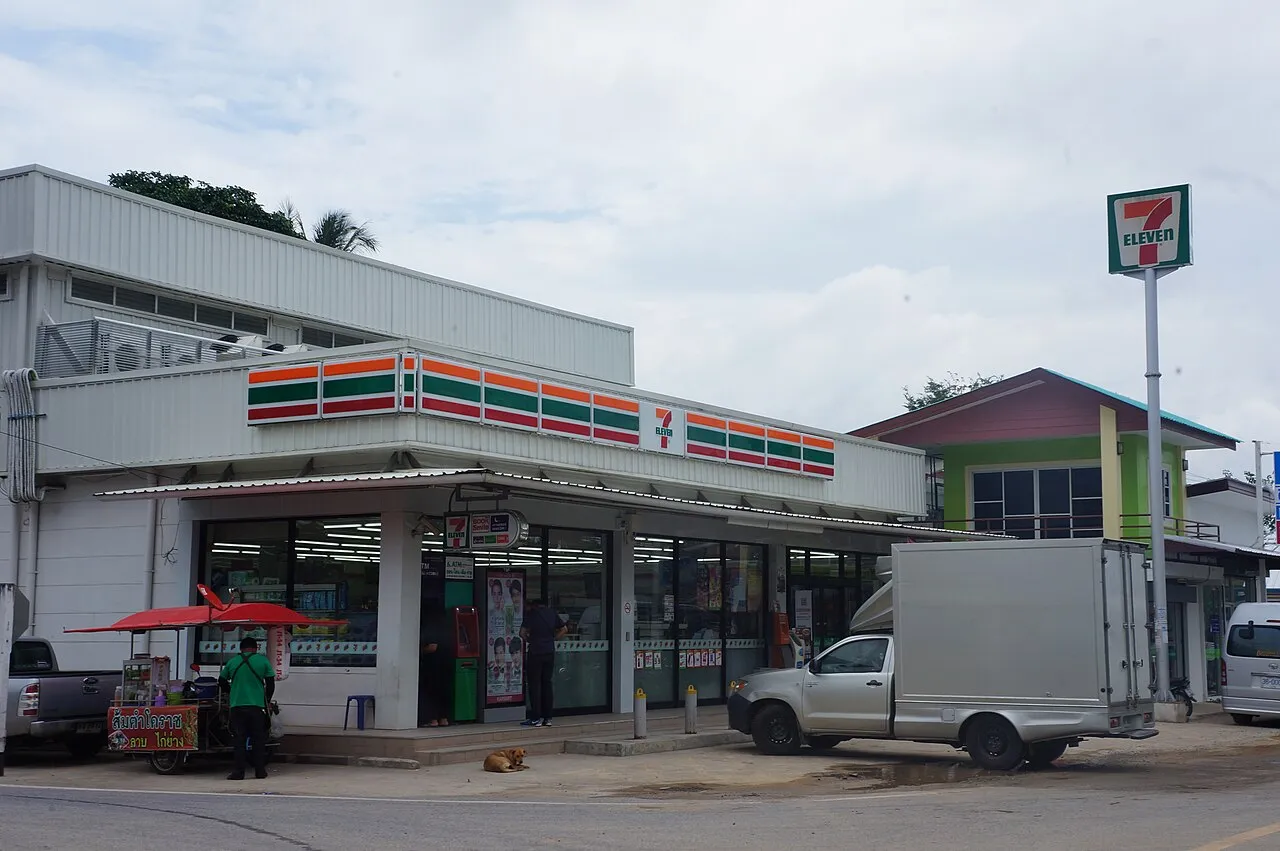
Pay at a 7-Eleven counter
Counter Service is on PEA’s list of authorised payment counters. It runs the financial counters in 7-Eleven stores and takes bill payments 24 hours a day.
It accepts electricity, water, telephone and internet bills. The counter sets the fee, not PEA. Check the full amount on the slip before you hand over cash.
Paying by credit card through the apps’ Counter Service channel costs 5 baht per item. The offer covers Visa and Mastercard and ends on 31 December 2026. PEA Smart Plus and PWA Plus Life+ both take part.
Bank apps, QR codes and PromptPay
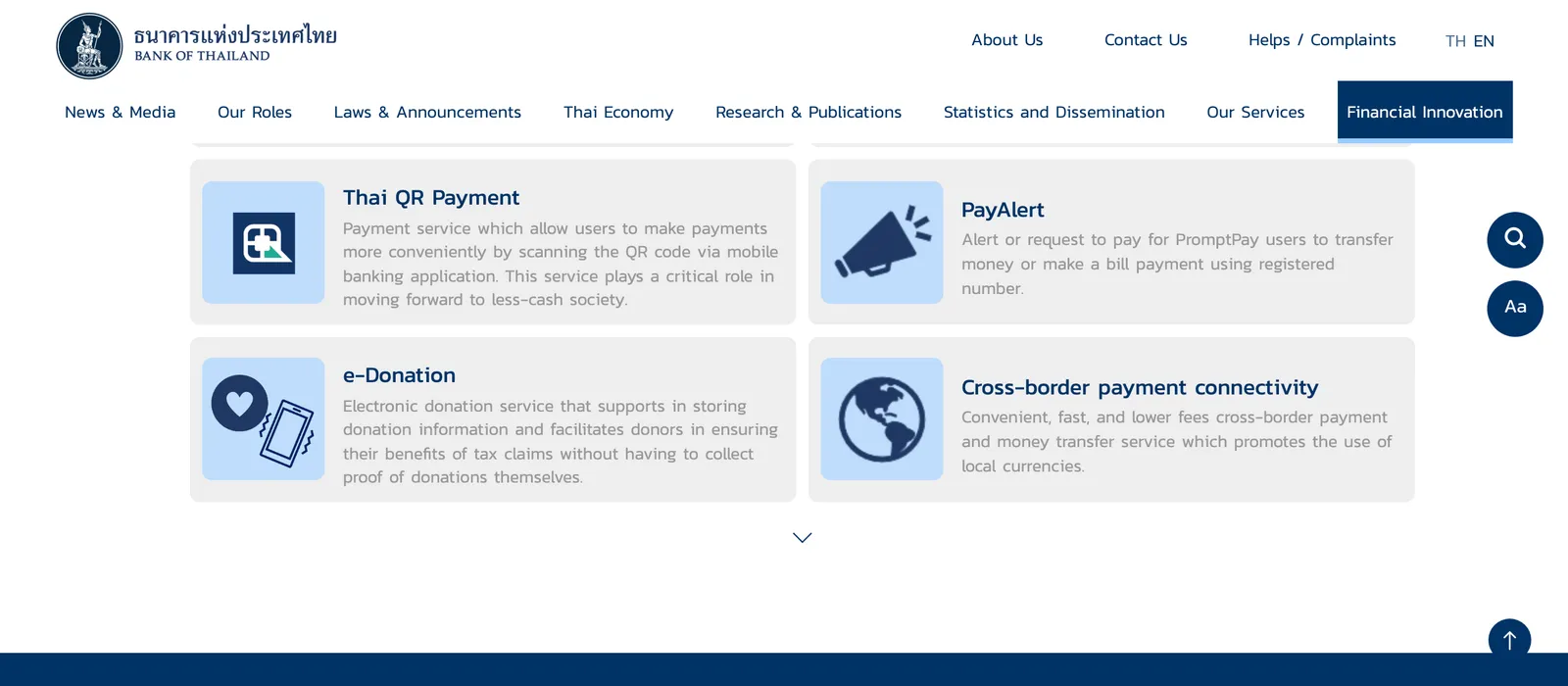
The apps of Kasikornbank, Krungthai and Siam Commercial Bank are among PEA’s payment channels. Search your bank app’s bill-payment list for PEA before the due date. Thai QR Payment means paying by scanning a QR code in a mobile banking application.
PromptPay is the Bank of Thailand’s payment infrastructure, live since 2016, for transfers by citizen ID, mobile number or account number.
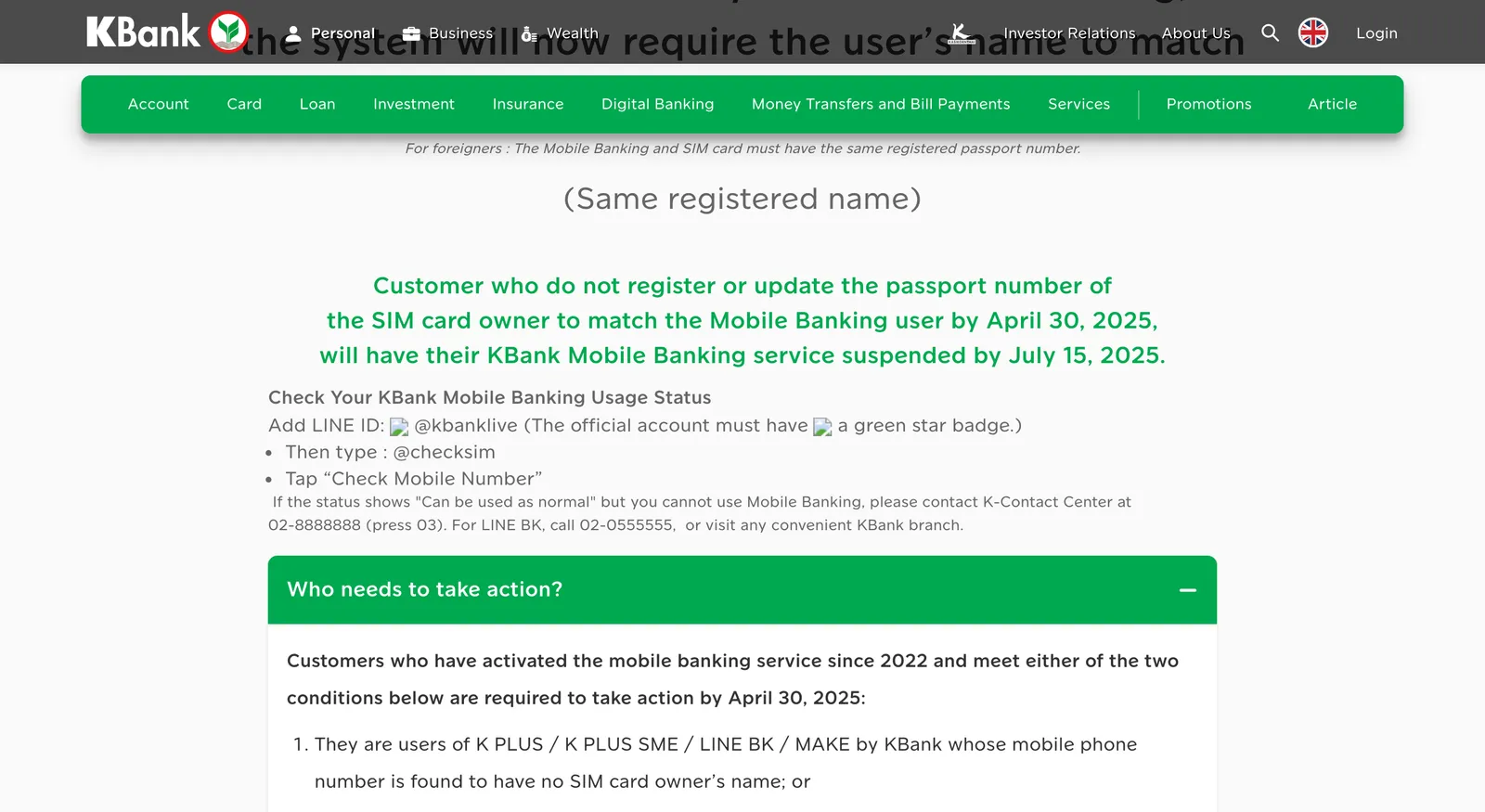
A foreigner’s bank app has its own conditions. KBank needs the same registered passport number on the SIM and in the mobile banking app. SCB asks foreign customers for a face check on a bill payment to another person’s or another bank’s account of THB 50,000 or more per time.
See PromptPay for Foreigners in Thailand: Bank Apps and QR Pay for setting up the app.
Water (PWA): LINE, app, bank or agent
The water user number is on the water bill. Register in the PWA Plus Life+ app with an email address and password, then add the number or scan the bill barcode. The PWA LINE account asks for the 11-digit number, a mobile number and an ID card number, so a passport holder starts with the app.
In the LINE account, a barcode is sent to the water user, and that barcode can be scanned to pay at agents such as Counter Service.
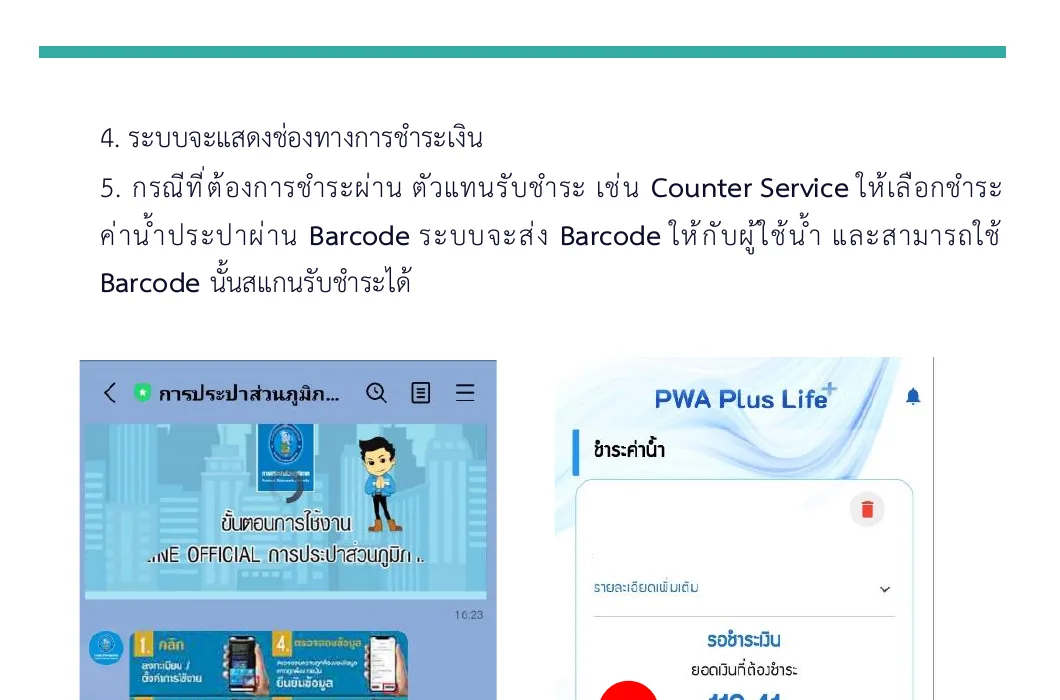
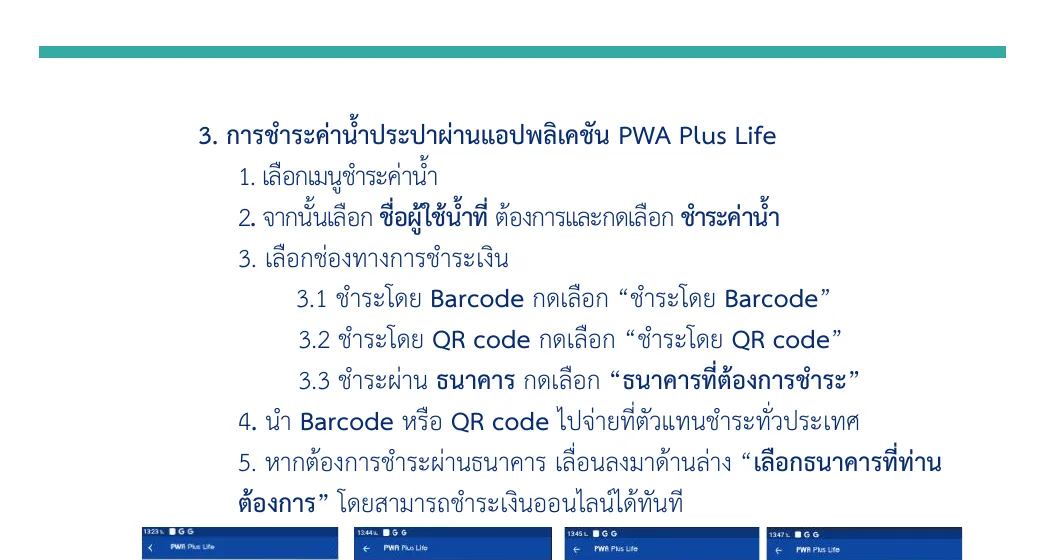
After registering in the app you pay by barcode, by QR code or through a chosen bank. A barcode or QR code from the app can be paid at payment agents across the country. The PWA Contact Center is 1662.
330 Lampang - Chiang Mai Superhighway, Pa Tan Sub-district, Mueang Chiang Mai District, Chiang Mai 50300, Thailand · Open in Google Maps (opens in a new tab)
Internet: auto-pay and prepay rules
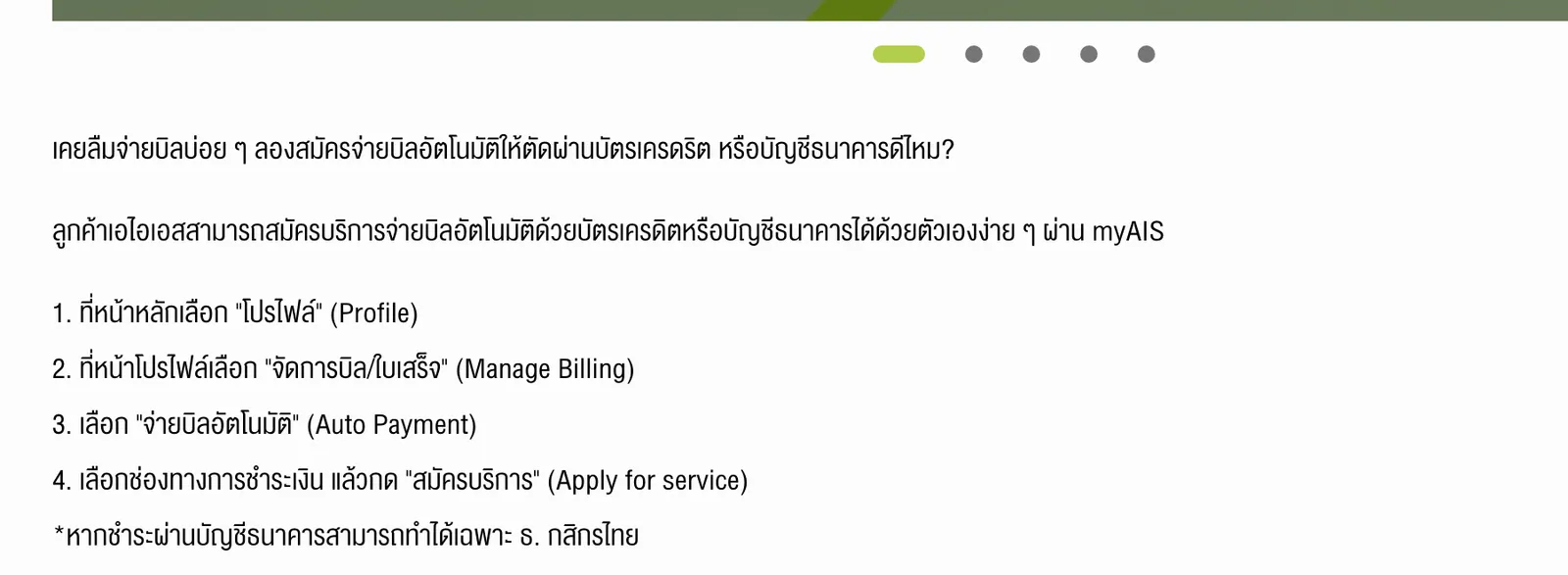
AIS customers sign up for auto-pay by credit card or bank account in the myAIS app. The bank-account route is limited to Kasikornbank. The AIS Broadband Condo installation fee of 4,800 baht is payable in the first monthly bill.
A foreign True subscriber prepays in blocks of 6 or 12 months. That rule shapes how you pay, so ask the True shop before you sign.

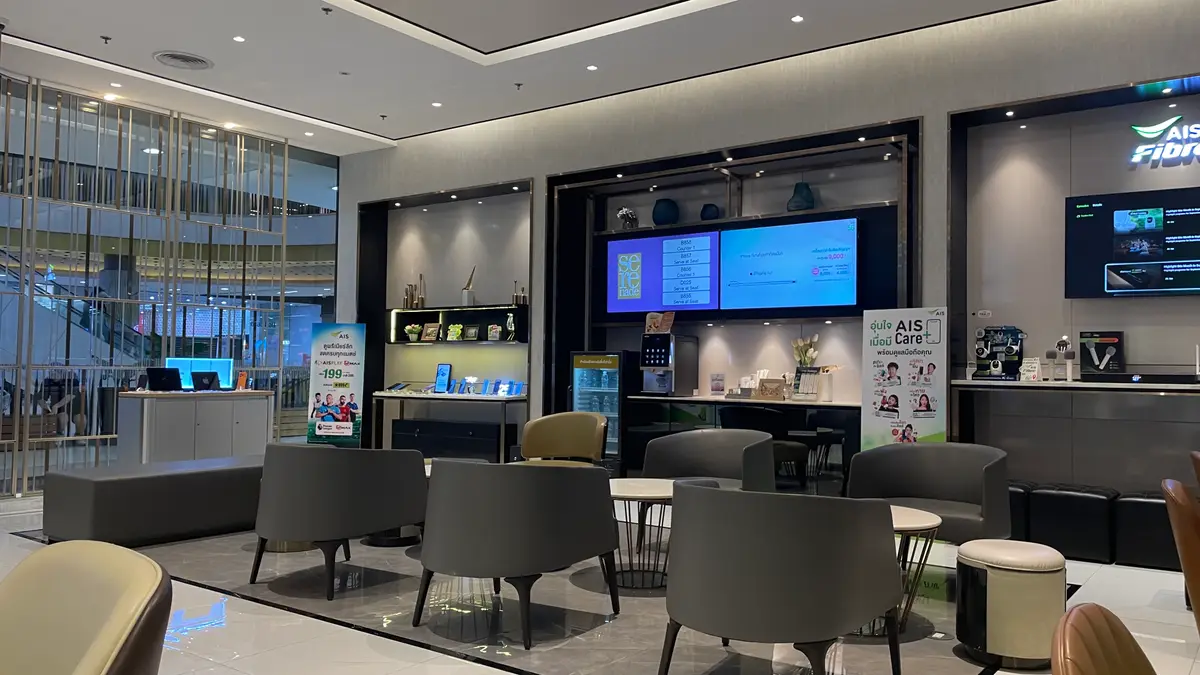
For plans and fees, see Home Internet in Chiang Mai: AIS, 3BB and True Compared.
What the bill adds up to
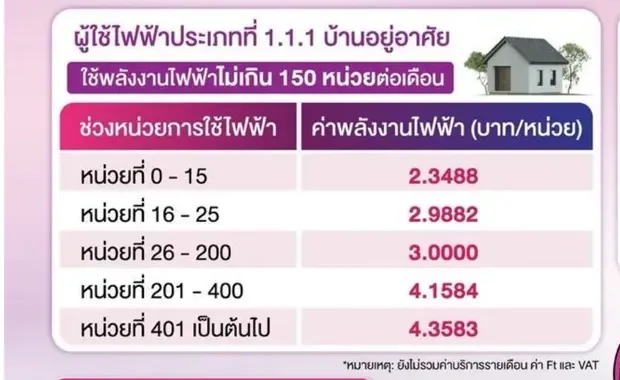
PEA’s residential rate structure applies from the September 2026 electricity bill. The rates exclude the monthly service charge, the Ft charge and VAT. The Ft charge is 16.23 satang per unit for September to December 2026; PEA’s Latest Ft page carries the next figure.
PEA splits houses into two categories by your month’s total use. A house using up to 150 units is category 1.1.1:
| Units in a month | Rate per unit |
|---|---|
| 1 to 15 | THB 2.3488 |
| 16 to 25 | THB 2.9882 |
| 26 to 200 | THB 3.0000 |
| 201 to 400 | THB 4.1584 |
| From 401 | THB 4.3583 |
A house using more than 150 units is category 1.1.2, and its first 200 units cost THB 3.0000 each. The higher bands are the same.
At 150 units, the top of category 1.1.1, the energy charge is THB 440.11 before the Ft charge, the service charge and VAT. A month of 200 units costs THB 600 in energy.
A 400-unit month costs THB 1,431.68 in energy and THB 64.92 in Ft. That is about THB 1,496.6 before the service charge and VAT.
A house with no permanent house registration can ask PEA to check its eligibility for the residential rates. The user lives there permanently, has paid bills for at least 6 months and contacts PEA from 15 September 2026.
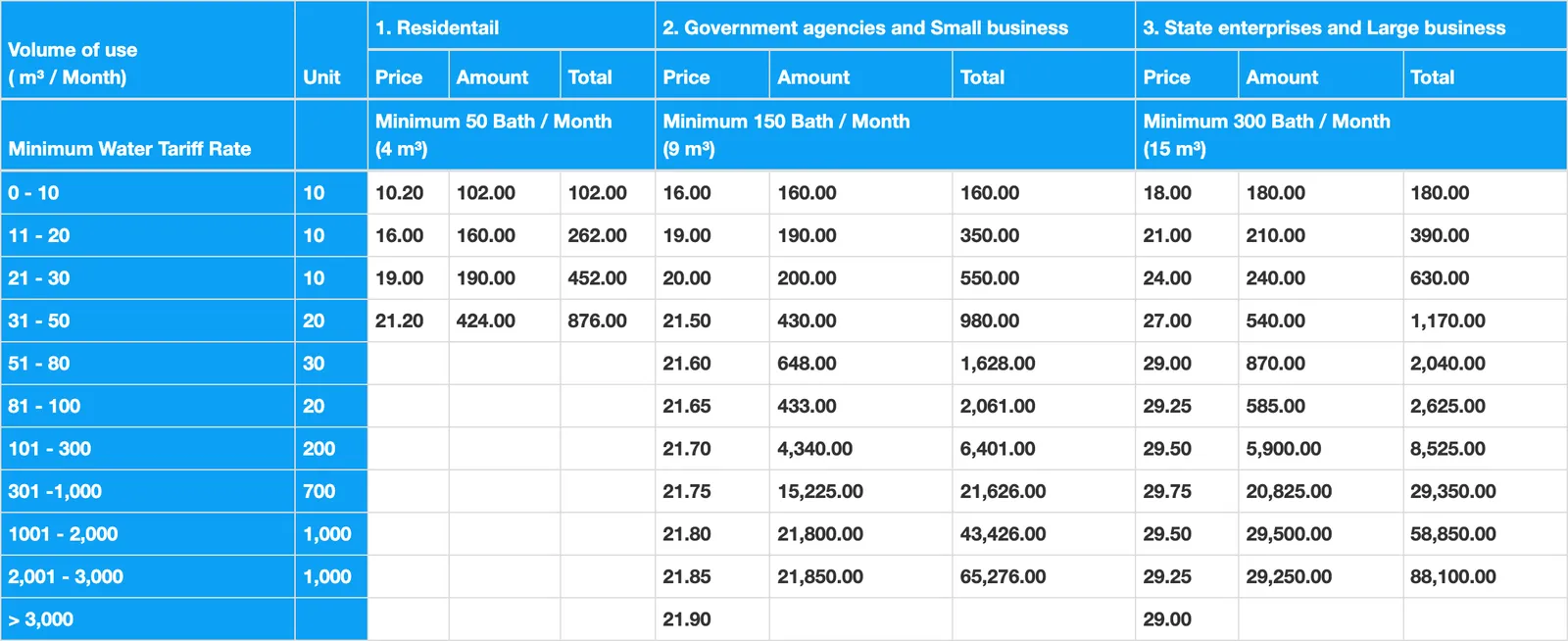
PWA’s residential water costs THB 10.20 per cubic metre for the first 10 cubic metres, THB 16.00 for 11 to 20 and THB 19.00 for 21 to 30. The minimum residential charge is THB 50 a month, for up to 4 cubic metres.
A month of 20 cubic metres comes to about THB 262 in water charges. A residential user above 50 cubic metres pays the type 2 rate from the 51st cubic metre.
A landlord who charges more than the rate can be reported on the OCPB hotline 1166. For what a landlord charges, see Landlord Electricity and Water Prices in Chiang Mai (2026).
Photo credits
- A 7-Eleven store: 7-Eleven store in Soi Mai Khao 5, Wikimedia Commons (MNXANL) (opens in a new tab) (CC BY-SA 4.0)
- Photos and clips uploaded to Google Maps (TRUE Shop Central Festival Chiang Mai on Google Maps (opens in a new tab), AIS Shop Central Festival Chiang Mai on Google Maps (opens in a new tab)) by Panisra Dongkaewpoothong, Watcharapong Prommee (TON).
Step by step
- Find the account numbers on the billsThe water user number is on the water bill. Add it in the PWA Plus Life+ app, which registers with an email address.
- Choose a channel for the electricity billPay the barcode at a Counter Service counter, or pay by credit card in PEA Smart Plus. With a Thai bank app, pay inside the app.
- Pay a barcode at a counterCounter Service takes electricity, water, phone and internet bills. PEA Smart Plus creates the barcode.
- Choose direct debit or auto-payPEA absorbs the bank fees on direct debit. Credit card auto-debit needs registration. AIS offers auto-pay in myAIS.
- Call the right line if a bill looks wrongPEA is 1129, PWA is 1662, and the OCPB hotline is 1166.
Not confirmed: Unconfirmed: whether PEA Smart Plus registration accepts a passport holder, and whether the 5-baht card route takes a foreign-issued card. Try both before the due date. The cash fee at a 7-Eleven counter is unpublished, and the agent sets it.
Reach readers planning life in Chiang Mai. Advertise → hello@chiangmaijao.com
Common questions
How do I pay my electricity bill in Chiang Mai?
Use the PEA Smart Plus app and LINE, authorised counters, bank and wallet apps, bank direct debit or a PEA front office.
Which way should a foreigner pay?
With no Thai bank account, pay the barcode in cash at a Counter Service counter, or use a credit card in the app. With a Thai bank app, pay inside the app.
Can I pay the PEA bill at 7-Eleven?
Yes. Counter Service runs the financial counters in 7-Eleven stores, and it is an authorised PEA counter. The counter sets the fee.
What is the cheapest way to pay with a credit card?
Pay a Visa or Mastercard credit card through the PEA Smart Plus or PWA Plus Life+ app on the Counter Service channel for 5 baht per item. The offer runs from 1 July to 31 December 2026.
How do I pay the water bill?
In the PWA Plus Life+ app or the PWA LINE account, pay by barcode, QR code or through a chosen bank. A barcode or QR code can be paid at payment agents across the country.
Where do I find my water user number?
It is on the water bill. PWA Plus Life+ registers with an email address and password, so a passport holder avoids the ID card field of the LINE account.
How does a foreigner pay a home internet bill?
A foreign True subscriber prepays in blocks of 6 or 12 months. AIS offers auto-pay in myAIS, with bank-account payment only from Kasikornbank.
How long do I have to pay a PEA bill?
A bill gives 10 days to pay. A reminder notice for an unpaid bill follows the due date and allows 7 days. PEA Smart Plus can send an SMS 2 days before the due date.
Who do I call about a wrong bill?
The PEA Contact Center is 1129, open 24 hours. The PWA Contact Center is 1662. The OCPB hotline is 1166 for a landlord charging more than the rate.
What does electricity cost per unit?
From the September 2026 bill, a house using up to 150 units pays THB 3.0000 per unit for units 26 to 200. Above 150 units, units 1 to 200 cost THB 3.0000 each. The rates exclude the monthly service charge, the Ft charge and VAT.
Read next
General information checked against the sources listed above, not legal advice for your situation. Rules and office practice change; confirm with the immigration office or a licensed adviser before you act. See how guides are checked.
Spotted an error? Report it.